
How to remap the copilot key to ctrl
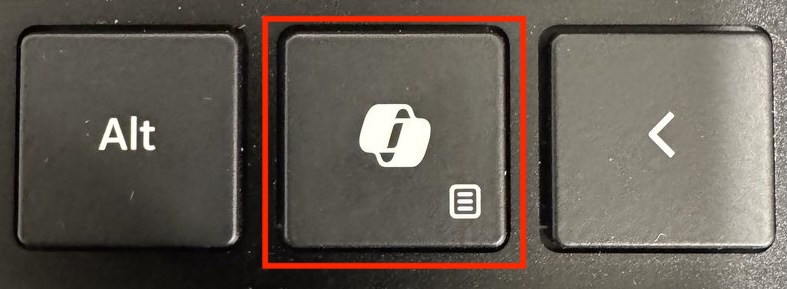
What exactly is the Copilot key?
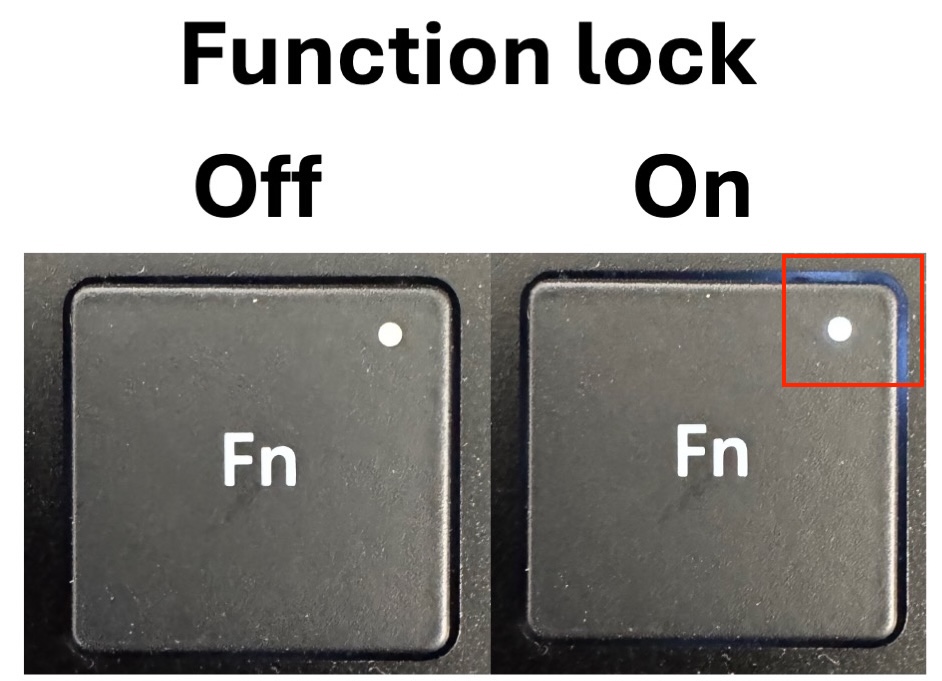
The Copilot key actually sends a combination of three keys to the OS when the function lock is off!!
When the function lock is on, the Copilot key only sends one keystroke to the OS:
So in order to comprehensively remap the Copilot key back to ctrl, you actually need two things:
- A PowerToys shortcut
- A PowerToys remap
Adding a PowerToys shortcut
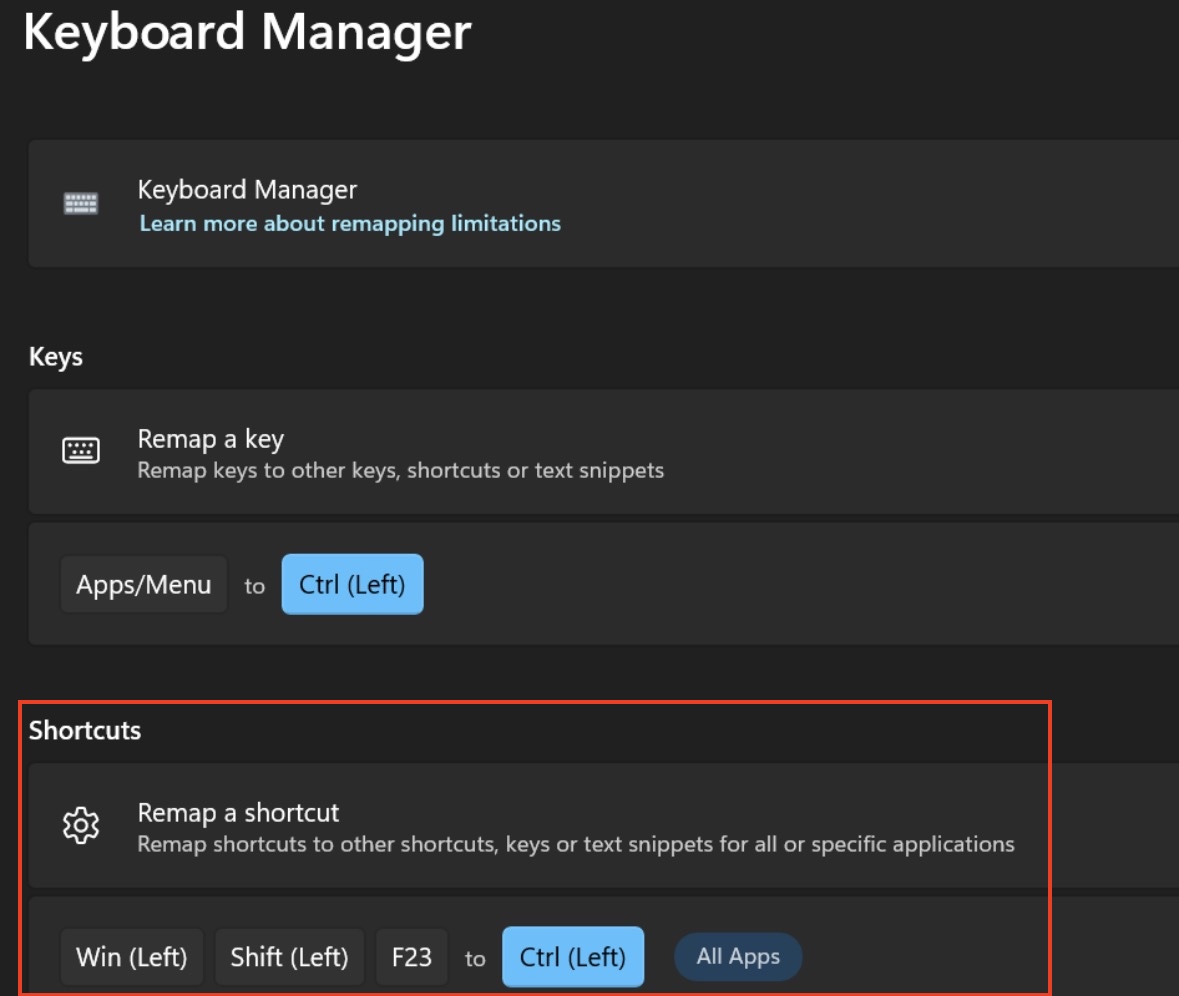
The Copilot key sends Win + Fn + F23 to the OS when the function lock is off.
We can intercept this in PowerToys Keyboard Manager by adding a shortcut remapping.
Adding a PowerToys key remapping
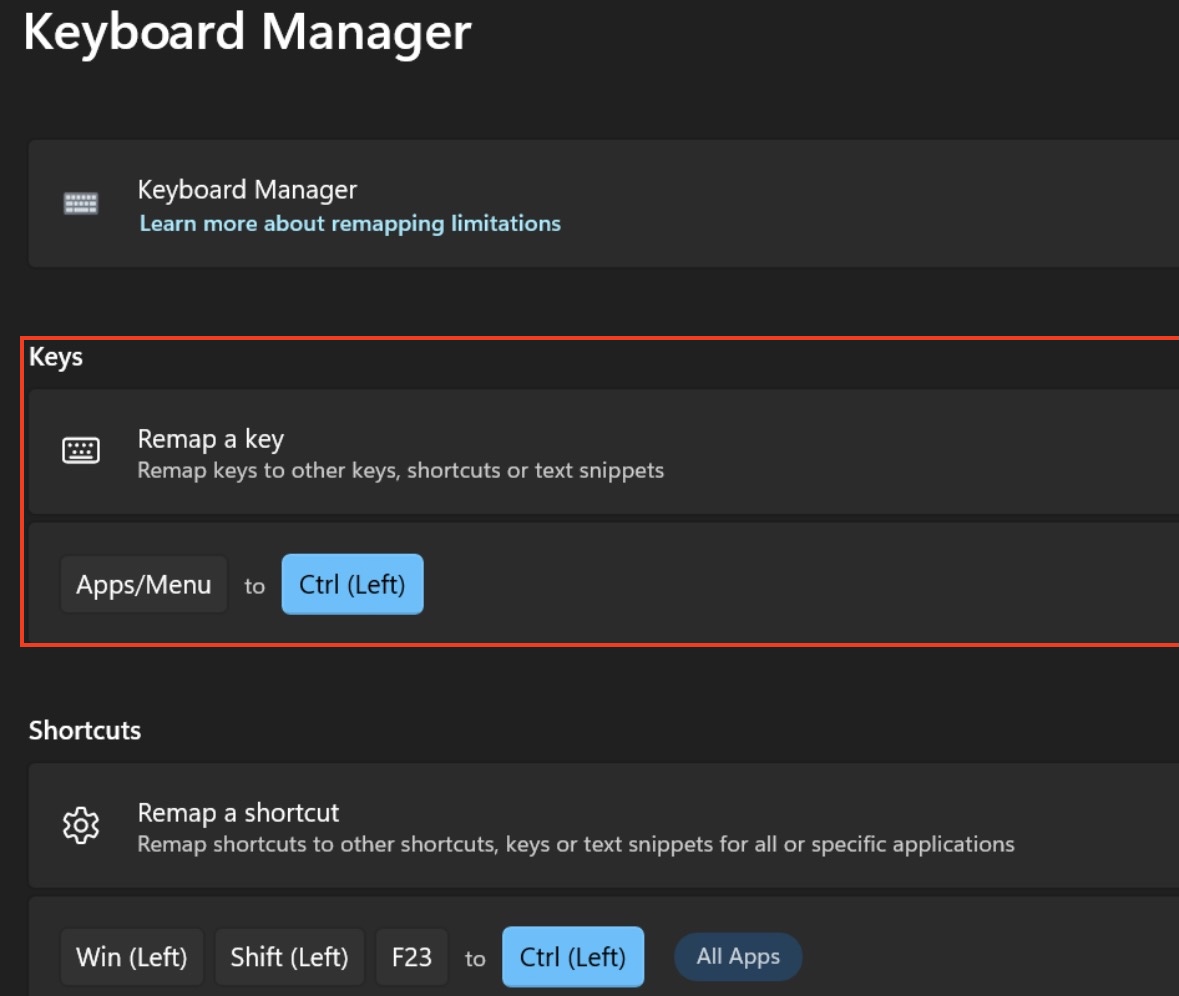
When Function Lock is on, the Copilot key sends Apps/Menu to the OS.
We need a separate key remapping in PowerToys to handle this case.
Conclusion
That’s it! You just need these two things:
- A PowerToys shortcut
- A PowerToys remap
To fully remap your copilot key back to ctrl 🙂
Published March 15, 2026